HexSkin: Mix Zaun Style - The Ultimate Creative Guide to the Undercity
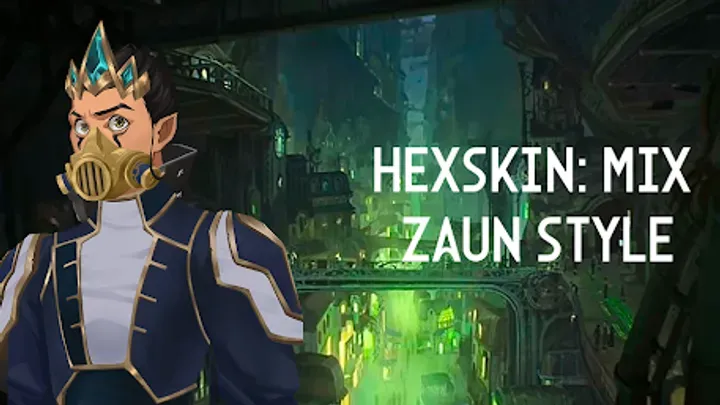
The world of Runeterra has captivated millions, but few locations are as visually distinct and culturally vibrant as Zaun. Known as the City of Iron and Glass, Zaun is a place where unchecked industry meets rebellious punk aesthetics, creating a unique fashion language defined by neon chem-lights, scavenged gears, and gritty street wear. HexSkin: Mix Zaun Style is the premier mobile avatar creator that allows fans to dive deep into this aesthetic, offering a robust set of tools to design their own Chem-Barons, Firelights, or Hextech inventors.
Unlike standard dress-up games that focus on pristine beauty and symmetry, HexSkin embraces the chaos of the Undercity. It challenges players to find beauty in asymmetry, to mix high-tech augments with worn leather, and to tell a story through scars, tattoos, and mechanical limbs. Whether you are looking to recreate your favorite Arcane characters or design a completely original persona for your next roleplay campaign, this guide will provide you with the comprehensive strategies and artistic tips needed to master the Zaun look.
1. Decoding the Zaun Aesthetic: Chem-Punk Meets Art Nouveau
To truly excel in HexSkin: Mix Zaun Style, you must first understand the visual language you are working with. Zaunite fashion is not random; it is a survival mechanism and a statement of defiance. The aesthetic is often described as "Chem-Punk," a subgenre of steampunk that replaces steam and brass with toxic chemicals, neon greens, and rusted iron. When selecting a base for your character, avoid the clean, polished look of Piltover. Instead, lean into the grimy, lived-in texture that defines the Undercity.
The game provides a "Background" and "Atmosphere" tab that is crucial for setting the tone. A common mistake is to design a character in a void. Start by choosing a background that reflects the character's allegiance. Are they a lane-runner operating in the Sumps? Use dark, smoky backgrounds with green hues. Are they a wealthy Chem-Baron? Look for backgrounds with stained glass and Art Nouveau ironwork. Understanding the environment helps you choose clothing that feels practical yet stylish, grounding your avatar in the lore of the world.
2. The Art of Asymmetry: Breaking the Mold
One of the defining features of HexSkin is its support for asymmetrical design. In Piltover, fashion is balanced and orderly. In Zaun, you likely only have one good glove or one working kneepad. When browsing the "Tops" and "Sleeves" categories, look for the toggle options that allow you to equip items on the left or right side independently. A fully symmetrical outfit often looks "too clean" for a Zaunite. Try pairing a heavy, armored gauntlet on the dominant arm (the fighting arm) with a bare arm or a simple bandage wrap on the other.
This principle extends to hairstyles and accessories. The "Hair" section of the game offers undercut styles where one side is shaved and the other is long and dyed. This isn't just a style choice; it mimics the practicality needed for wearing gas masks or goggles. When mixing these elements, aim for a silhouette that feels off-balance but stable—like a character who has been through a fight and patched themselves up with whatever was at hand. This visual storytelling is what separates a novice design from a masterwork.
3. Mastering the Palette: Neon Accents and Grayscale
Color theory in HexSkin: Mix Zaun Style revolves around high contrast. The base colors of Zaun are desaturated: charcoal greys, oil-spill blacks, and rusted browns. These represent the smog and industrial decay. However, the "soul" of the outfit comes from the accent colors. You should use the color wheel tool to select vibrant, saturated neons—specifically "Chem-Green," "Shimmer Purple," or "Firelight Pink." These colors should not be the main hue of the outfit but used for highlights: hair streaks, glowing tattoos, or vials of liquid attached to the belt.
A pro tip for advanced users is to match the eye color to the tech accents. If your character is wearing a Hextech drive that glows blue, manually adjust the iris color to match that exact shade of cyan. This creates a cohesive look that implies the technology is integrated into their biology, a common theme in Zaunite lore. Avoid using warm, sunny colors like pastel yellow or sky blue unless you are intentionally creating a character who looks out of place; Zaun is a world of artificial light, and your palette should reflect that synthetic intensity.
4. The Layering System: Building Depth and Texture
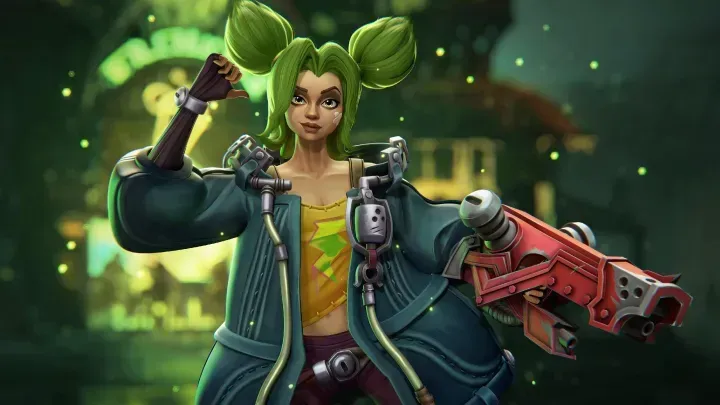
The "Clothing" tab in HexSkin is deceptive. It may look like you are just selecting a shirt, but the game allows for intricate layering. You should think of your outfit in three layers: the Undersuit, the Armor/Streetwear, and the Overcoat. Start with a tight-fitting mesh or bandaged base layer. This adds texture to the areas that aren't covered by armor. On top of that, place your vests, corsets, or harnesses. Finally, add the "Outerwear," such as trench coats or cropped jackets.
The secret to a complex design is utilizing the "Transparency" or "Alpha" sliders if available, or choosing items that naturally have cutouts. Seeing a mesh shirt poke through a torn leather jacket adds realism. Furthermore, pay attention to the "Collars" and "Neck" accessories. A character wearing a heavy coat often looks better with a high collar or a respirator hanging around the neck to bridge the gap between the head and the body, making the avatar feel more 3D and less like a paper doll.
5. Gadgets and Augments: The Cyborg Element
You cannot have Zaun without Hextech and Chemtech. The "Accessories" and "Body Mods" sections are where your character truly becomes powerful. HexSkin offers a variety of mechanical limbs and facial augments. When choosing a mechanical arm, ensure it matches the "class" of your character. A street urchin should have a scrap-metal arm with exposed wires and rust (use the brown/orange color swatches). A wealthy enforcer should have a sleek, polished limb with gold or brass plating.
Do not neglect the "Face" accessories. Goggles are a staple, but consider where they are placed. Goggles over the eyes imply the character is currently working or fighting. Goggles resting on the forehead imply they are in a relaxed state. Respirators are also essential for Sump dwellers. Combining a jaw-mask with a separate eye-patch or visor can create a completely unique helmet look that isn't available as a single item, showcasing your creativity in combining assets.
6. Hair and Makeup: Punk Rock Expressions
The "Hair" customization in HexSkin is robust, allowing for multi-colored strands and gravity-defying spikes. To achieve the quintessential Zaun look, you want to avoid perfectly brushed hair. Look for the "Messy" or "Windblown" tags in the hair menu. Texture is key here. If you are designing a Jinx-inspired chaotic character, go for long, braided twin-tails but use the "color split" option to make them different shades or add a root-grow-out effect that implies they haven't visited a barber in years.
Makeup in this game serves as war paint. The "Tattoos" and "Markings" tab allows you to place graffiti-style marks on the face and body. A popular trend is using the "smudge" or "grease" face paints to make the character look dirty and hardworking. Don't be afraid to cover up a pretty face with soot marks or a heavy eyeliner that mimics the exhaustion of living in the undercity. The beauty of Zaun is in its roughness; a perfectly clean face often looks wrong against the industrial background.
7. Recreating Icons: Jinx, Vi, and Ekko
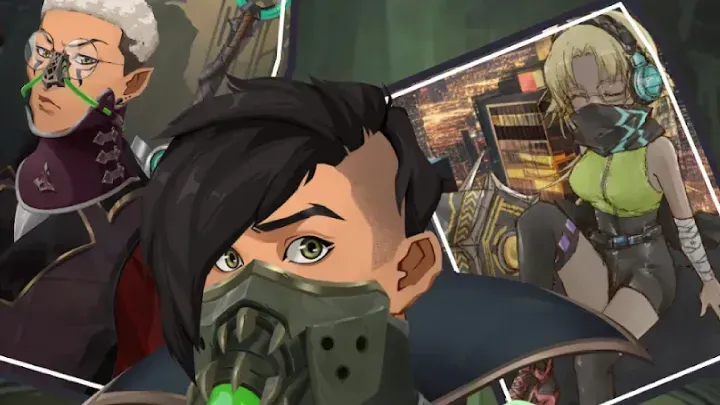
Many players come to HexSkin to recreate their favorite champions. To build Jinx, focus on the "Braids" hair category and look for the cloud tattoo body mod. The key is her physique; use the "Body Type" slider to make her slender. Her outfit relies heavily on the "cropped top" and "striped pants" items. Use the color picker to get that specific electric blue for her hair and pink/purple for her eyes.
For Vi, you need bulk. Choose a broader shoulder setting if possible, or equip the "Pauldrons" (shoulder armor) to give her a heavy silhouette. Her defining feature is the gauntlets. Look for the "Oversized Fists" in the weapon/hand slot. Use a dark red and brown palette. For Ekko, the focus is on the "Mohawk" hairstyle and the "Hourglass" symbol face paint. His clothing should be baggy—look for the "cargo pants" and "utility belt" items to mimic his Firelight gear.
8. Creating Original Characters (OCs): Story-Driven Design
The true longevity of HexSkin lies in creating your own OCs. To make a compelling OC, start with a profession. Is your character a "Chem-Baroness"? If so, dress them in a mix of Victorian finery and industrial tubing. Give them a cane or a sophisticated cigarette holder from the "Handheld" items. Is your character a "Hoverboarder"? Give them goggles, knee pads, and aerodynamic clothing with loose straps that would fly in the wind.
Use the "Save Slot" feature to create variations of the same OC. Make a "Civilian" version (what they wear at the bar) and a "Combat" version (what they wear on a mission). This helps in roleplay scenarios. A good tip is to keep one "signature item" across all variations—like a specific necklace or a scar—so the character is recognizable regardless of their outfit. This consistency builds a brand for your character.
9. Photography Mode: Lighting and Filters
Once your avatar is complete, the "Studio" or "Photo Mode" is where you capture the final image. HexSkin offers various filters that mimic the animation style of Arcane. The "Oil Paint" filter is particularly effective for blending the edges of the 3D/2D assets to make them look like concept art. Pay attention to the lighting direction. Zaun is dark, so a "Rim Light" effect (light coming from behind) works wonderfully to create a dramatic silhouette.
When exporting for a Profile Picture (PFP), make sure to zoom in. A common mistake is saving a full-body shot for a PFP, which makes the face too small to see on mobile screens. Use the "Crop" tool to frame the face and shoulders. If you want to show off the full outfit, save two versions: a "Portrait" close-up and a "Full Body" reference sheet. The game usually supports high-resolution PNG exports; always choose PNG over JPG to preserve the transparency of glowing effects.
10. Community and Sharing: The Fashion Meta
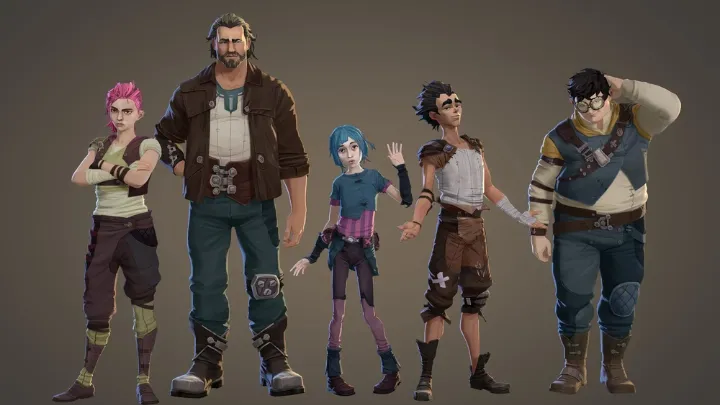
The HexSkin community is active on social media platforms like TikTok and Instagram. To get your designs noticed, participate in "Theme Challenges." Users often host weekly challenges like "Steampunk Winter" or "Neon Noir." Using the specific hashtags #HexSkin and #ZaunStyle is essential. When you share your creation, consider listing the "Item IDs" or the names of the key pieces you used. This "loadout sharing" is very popular and helps new players find the cool items you discovered.
Finally, keep an eye on game updates. The developers often release seasonal packs (e.g., "Snowdown" or "Harrowing" themes). These limited-time items are often the most unique. If you see a "Time Limited" banner on a new accessory pack, prioritize unlocking it. Mixing a rare, limited-edition hat with standard gear is a great way to flex your veteran status in the game. Stay creative, stay weird, and keep the spirit of the Undercity alive in every pixel.
Conclusion
HexSkin: Mix Zaun Style is more than just a dress-up game; it is a canvas for digital expression in one of the most iconic fantasy settings of the modern era. By mastering the tools of asymmetry, color grading, and layered storytelling, you can create avatars that feel like they walked straight out of the screen and into the lanes of Zaun. Whether you are a meticulous cosplayer planning your next real-life build or a gamer looking for the perfect PFP, the power is in your hands. So grab your goggles, charge up your hex-crystals, and start mixing—the Undercity is waiting for its next fashion icon.
Master the Zaun aesthetic in HexSkin by using asymmetry, neon accents, and layered textures. Create unique OCs or recreate Jinx and Vi with this ultimate design guide.